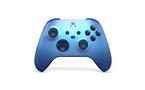
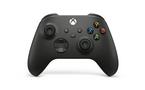
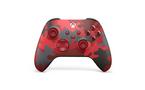
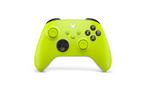
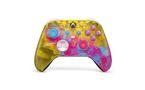
Features
- Experience the modernized design of the Xbox Wireless Controller in Robot White, featuring sculpted surfaces and refined geometry for enhanced comfort during gameplay with battery life up to 40 hours.*
- Stay on target with the hybrid D-pad and textured grip on the triggers, bumpers, and back-case. Plug in any compatible headset with the 3.5mm audio headset jack.
- Connect using the USB-C® port for direct plug and play to console or PC. Support for AA batteries is included on the rear.
- Seamlessly capture and share content with the Share button.
- Make the controller your own by customizing button mapping with the Xbox Accessories app.*
- Includes Xbox Wireless and Bluetooth® technology for wireless gaming on supported consoles, Windows PCs, and Android and iOS phones and tablets.*
Product Description
*Important information:
Compatible with select devices and operating system versions; learn more at xbox.com/controller-compatibility. Battery life varies significantly with headsets, additional accessories, usage, and other factors. Testing conducted by Microsoft using standard AA batteries in preproduction units. Button mapping available via Xbox Accessories app for Xbox Series X|S, Xbox One, and Windows 10; app for Windows 10 requires compatible USB-C cable (sold separately).
Windows 10: Requires Bluetooth, compatible USB-C® cable, or Xbox Wireless adapter. Each sold separately. Android: Select devices and operating system versions. Some functionality not supported on Android or via Bluetooth®. iOS support coming in the future. Additional platforms supported. Learn more: xbox.com/controller-compatibility. Use with controller compatible games. You must accept the Warranty & Agreement at xbox.com/warranty and Software License Agreement at xbox.com/slt.
Halo Infinite: Expected 2021.
Compare Items
In-Depth Look
Xbox Wireless Controller Features
Introducing an entirely new way to share your favorite gaming moments with your friends. With this Xbox Wireless Controller, you have a Share button built in so you can capture your best gaming moment with the press of a button. We’ve also built a new sharing experience to make it easier than ever to share your game clips and screenshots with friends from your mobile phone. Sharing has never been so easy.
Elevate your game
Experience the modernized design of the Xbox Wireless Controller, featuring sculpted surfaces and refined geometry for enhanced comfort during gameplay. Stay on target with textured grip and a hybrid D-pad. Seamlessly capture and share content with a dedicated Share button. Quickly pair with, play on, and switch between devices including Xbox Series X|S, Xbox One, Windows PC, Android, and iOS.
Dedicated share button
Seamless capture and share content such as screenshots, recording, and more with the new Share button.
Stay on target
Stay on target with the new hybrid D-pad, textured grip on the triggersm bumpers, and back-case.
Switch devices
Easily pair and switch between devices including Xbox Series X, Xbox Series S, Xbox One, Windows PC, Android, and iOS.
Compatibility
Includes Xbox Wireless and Bluetooth technology for wireless gaming on console, PC, mobile phones and tablets. Plug in any compatible headset with 3.5mm stereo headset jack.
Specs
Order Attributes
| UPC | 196388518111 |
|---|
General
| Brand Name | Microsoft |
|---|---|
| Vendor Part Number | EP2-29919 |
| GameStop Exclusive | false |
Features
| Features | Bluetooth, Headphone Jack |
|---|
Power
| Battery type | AA |
|---|---|
| Number of batteries | 2 |
| Battery Life | 5-10 years (Shelf Life) |
| Battery included | true |
Compatability
| Compatible Platforms | Xbox One, Xbox Series X, Xbox Series S, Windows |
|---|
Connectivity
| Connection Type | Wireless |
|---|
Dimension
| Product Length | 0.1 |
|---|---|
| Product Width | 0.1 |
| Product Height | 2.83 |
| Product Unit of Measure | in |
| Product Weight | 1 |
| Product Weight Unit of Measure | lbs |
FAQs
Frequently Asked Questions
Is the Xbox Series X Wireless Controller compatible with older Xbox consoles?
Yes, the Xbox Series X controller is compatible with Xbox One consoles, allowing seamless gameplay across generations.
Can I use the Xbox Series X controller on PC and mobile devices?
Yes, this controller supports Windows 10 PCs, Android devices, and via Bluetooth or Xbox Wireless, making it versatile for gaming on multiple platforms.
How do I connect the Xbox Series X Wireless Controller to my console or PC?
You can connect via Bluetooth, Xbox Wireless, or a USB-C cable for wired play. Press the pairing button to sync with compatible devices.
What type of batteries does the Xbox Series X Wireless Controller use?
The controller uses two standard AA batteries, providing up to 40 hours of gameplay. Rechargeable battery packs are also available separately.
Does the Xbox Series X controller have a headphone jack?
Yes, it includes a 3.5mm audio jack compatible with most headsets for chat and game audio.
Can I customize button mapping on the Xbox Series X controller?
Yes! Use the Xbox Accessories app to remap buttons, create custom profiles, and enhance your gaming experience.
Does the controller support Bluetooth or only Xbox Wireless?
It supports both Bluetooth and Xbox Wireless, allowing flexible connectivity to various devices. Note: Xbox Wireless uses a higher frequency (2.4 GHz) than Bluetooth.
Is the Xbox Series X controller compatible with Xbox Series S?
Yes, it works with both Xbox Series X and Series S consoles.
How durable is the Xbox Series X Wireless Controller?
The controller features improved ergonomics, textured grips, and robust build quality designed for long-lasting durability.
Can I use the Xbox Wireless Controller with iOS devices?
iOS support is available but limited; compatibility varies by game and iOS version.
Xbox Add-Ons! Better Grip, More Precision, Superior Gameplay.
Accessories
Ratings & Reviews
Questions & Answers
Important Info
*Compatible with select devices and operating system versions. Some functionality not supported on Android, iOS, or via Bluetooth. Go to xbox.com/controller-compatibility for more information. Button mapping available via Xbox Accessories app for Xbox Series X, Xbox One, and Windows 10.
The Bluetooth® word mark and logos are registered trademarks owned by Bluetooth SIG, Inc. and any use of such marks by Microsoft Corporation is under license. Other trademarks and trade names are those of their respective owners.