Xbox Series X|S
Gamers’ Favorites.
Best Sellers.
Xbox Series X|S.
Top Categories.


Guides.
How To.
Download & Install Digital Games
Introducing a new way to share
Xbox Velocity Architecture
Frequently Asked Questions
What games can I play on Xbox Series X|S?
Xbox Series X|S is compatible with thousands of games across four generations of Xbox. And, with Smart Delivery games, you buy a digital game once and get the best version of that game for the console you’re playing on. Play new games on day one with Xbox Game Pass Ultimate, and enjoy hundreds of high-quality games on console, PC, and cloud.
To play a backwards compatible game, insert the disc on the Xbox Series X or search your library and select the game you want to play. Shop for Xbox Series X|S games directly from your Xbox Series X/S console or online at GameStop.com.
Can you play Xbox One games on Xbox Series X|S?
Yes. Digital titles you own from the Back Compatible game catalog will appear in the “Ready to Install” section on your Xbox Series X|S console. For disc-based games included in the Back Compat catalog, simply insert the disc into your Xbox Series X, and the console will start downloading the game to your hard drive. Remember, once the game is downloaded, you must keep the disc in the drive to play. Browse Xbox One games.
Will Xbox Series S play game discs?
No. Xbox Series S consoles are all-digital gaming consoles for disc-free gaming. Disc-based games are not compatible with the 512GB or 1TB Xbox Series S consoles.
Do Xbox One controllers work on Xbox Series X|S?
Xbox Series X|S consoles are compatible with most Xbox One controllers and gaming accessories. Shop Xbox controllers.
Will the Xbox Wireless Controller work with my PC, or mobile device?
Yes. The Xbox Wireless Controller is compatible with all the devices that the existing Xbox Wireless Controller can connect to.
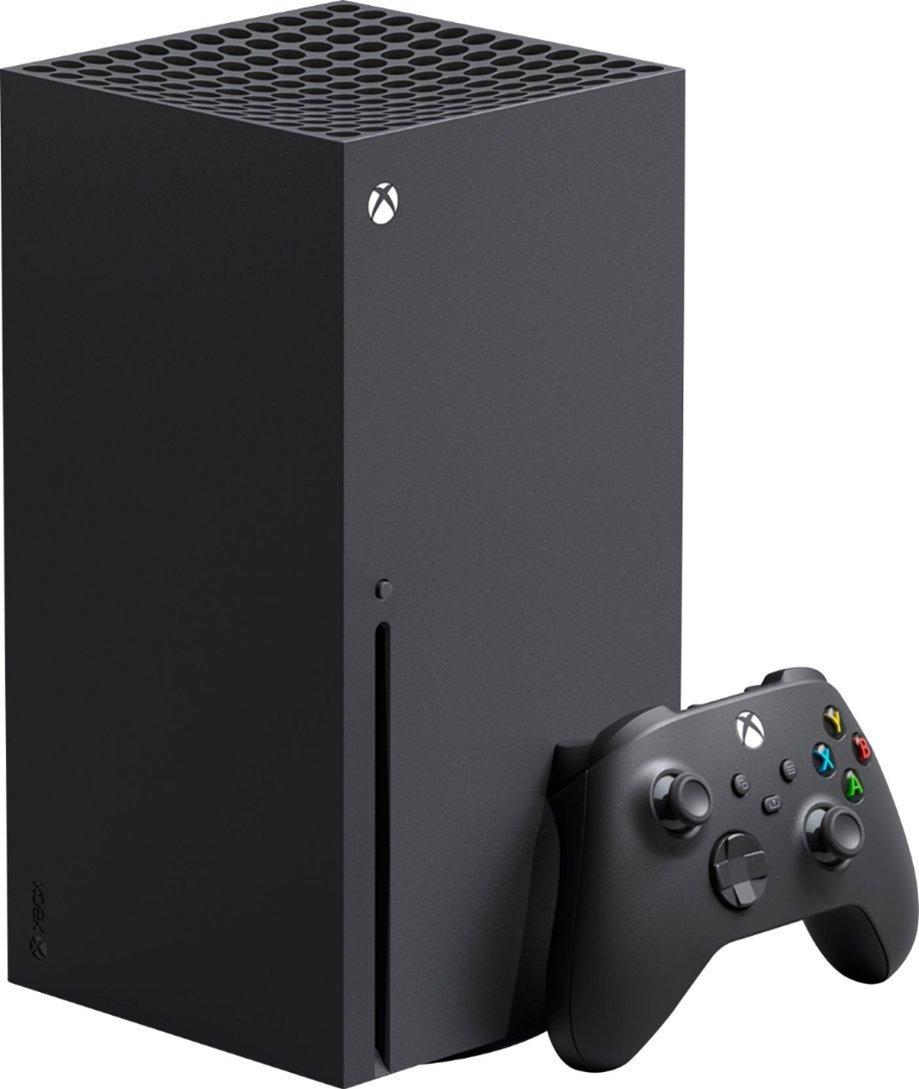
What’s included with Xbox Series X|S?
- A console, controller, Ultra High-Speed HDMI cable, and power cord are included.
- You can add standalone purchases of Xbox Game Pass and the Seagate Storage Expansion Card for Xbox Series X|S for the complete experience.
How can I increase my console storage for more games?
Xbox Series X|S is compatible with standard standalone hard drive and products with the Designed for Xbox badge are supported by Xbox. For the best experience, the 1TB Seagate Storage Expansion Card for Xbox Series X|S plugs into the back of the console via the dedicated storage expansion port and replicates the console’s custom SSD experience, providing additional game storage at the same performance.
How do I know if my TV supports 4K?
To find out if your TV supports 4K gaming, check your TV's settings. The TV resolution should be specified within the TV settings menus.
What’s the difference between Xbox Series X and Xbox Series S?
Both Xbox Series X & S consoles offer cutting-edge features enhanced by Dolby Vision and the Xbox Velocity Architecture, providing faster load times, effortless game switching with Quick Resume, and vibrant, dynamic visuals, all while supporting frame rates of up to 120 FPS. The primary difference between the two consoles is that the Xbox Series X console offers native 4K gaming and includes a UHD Blu-ray Disc drive, with choices of 1TB or 2TB storage. Xbox Series S console is designed for disc-free gaming at 1440p, which can upscale to 4K, and provides options for either a 512GB SSD or a 1TB SSD as well as Black and White color options. And, of course, they’re priced differently. Both consoles allow for expanded storage through the Storage Expansion Card.
Is there a difference between the All-Digital Xbox Series X and the Xbox Series X Standard?
The only difference is the All-Digital Xbox Series X does not have a disc drive and comes in Robot White. Otherwise, this digital version shares the same internal parts and dimensions as the Standard model.
Can I connect an external keyboard and mouse to my Xbox Series X|S?
You can use wired USB mice and keyboards for navigation in select games and apps, and with a keyboard for getting around on Xbox and Windows devices
Can I trade in Xbox Series X|S consoles at GameStop?
Yes, you can trade in your Xbox consoles at GameStop. The console must be in good condition and have all the necessary components to receive the highest trade value. Product condition and trade value are determined by GameStop in our sole discretion. Please visit our trade page for more information.
Can Xbox Series X|S play original Xbox and Xbox 360 games?
Yes! Xbox Series X|S consoles support thousands of backwards compatible games from Xbox One, Xbox 360, and the original Xbox. Compatible digital titles appear automatically in your library, and supported disc-based games can be installed using your Xbox Series X disc drive. Please note not all games are backwards compatible.
Do older Xbox games look or perform better on Xbox Series X|S?
Yes. Many backwards compatible games benefit from faster load times, improved frame rates, more stable performance, and enhanced visuals through features such as Auto HDR and system-level performance boosts when played on Xbox Series X|S. Some games will also not see a performance increase if they were already performing at their peak during their original launch.
Can I use an external USB hard drive to play Xbox Series X|S games?
No. Xbox Series X|S optimized games must be installed on either the internal SSD or a dedicated Storage Expansion Card to run. External USB hard drives can be used to store Series X|S games but must transfer those games back to the internal or expansion SSD before playing. USB drives are ideal for playing Xbox One, Xbox 360, and original Xbox games directly.
Will all new Xbox games run on both Series X and Series S?
Yes. Every new Xbox game released is designed to work on both Xbox Series X and Series S. The difference is how the games perform:
Xbox Series X: Higher resolutions, enhanced visuals, advanced ray tracing, and higher performance modes.
Xbox Series S: Lower resolutions (typically 1440p) and reduced visual features to maintain performance on a smaller console.
Can I expand Xbox Series X|S storage with any SSD?
Xbox Series X|S consoles can use:
Dedicated Storage Expansion Cards (recommended): Plug directly into the expansion slot for full performance identical to the internal SSD.
External USB SSDs/HDDs: Useful for storing or playing backwards-compatible Xbox One, Xbox 360, and original Xbox games, but not for playing optimized Series X|S titles.
Do Xbox Series X|S support Dolby Vision and Dolby Atmos?
Yes. Xbox Series X|S consoles support Dolby Vision gaming and Dolby Atmos audio when connected to compatible TVs, sound systems, and games that support these features.
What HDMI cable do I need for 4K and 120 FPS gaming?
Xbox Series X|S consoles include an Ultra High-Speed HDMI cable in the box. This cable supports 4K resolution at up to 120 frames per second when paired with a compatible TV/monitor and game/movie that offers those specifications.
Can I use my Xbox One headset on Xbox Series X|S?
Yes, most wired Xbox One headsets that connect through the controller or USB remain compatible with Xbox Series X|S consoles.
Can I connect Bluetooth headphones to Xbox Series X|S?
Xbox Series X|S consoles do not support standard Bluetooth audio headsets directly. Wireless audio is supported through Xbox Wireless headsets or compatible adapters designed for console use.
Is Xbox Game Pass required to play online?
Xbox Game Pass itself is not required to play online. However, Xbox Game Pass Ultimate** includes Xbox Live Gold (Xbox Live Gold and other Xbox Live versions are now called Xbox Game Pass Core)**, which is required for online play in most multiplayer games.
Can I remote play Xbox Series X|S games to my phone or tablet?
Yes. Xbox Series X|S support Remote Play using the Xbox app on compatible mobile devices, allowing you to stream your console gameplay to smartphones and tablets over Wi-Fi or mobile data connections.